

Website & dashboard
This chapter explains the public marketing site, how authentication places you inside the product, and how the dashboard organizes everything you create. Read it once to orient new team members; return to it when onboarding someone who has never used AKOBOT.
Audience — Anyone using the AKOBOT web application—creators, operators, and admins who need a clear map from marketing site to signed-in workspace.
In this article
- What the public homepage communicates before you sign in
- How sign-in establishes your session and where you land afterward
- The dashboard as your operational home: gallery, shortcuts, and navigation
- Signing out safely and what remains available without a session
The AKOBOT experience at a glance
AKOBOT combines a public website (positioning, pricing, trust content) with a signed-in application (generation tools, agents, account, and history). You do not need an account to read about the product; you need one to run jobs that consume credits and to store private work under your profile.
| Surface | Purpose | Typical next step |
|---|---|---|
| Marketing site | Understand models, features, pricing, and company information. | Use Sign in when you are ready to work in the app. |
| Authentication | Prove identity and attach actions to your workspace. | You are redirected into the app (usually the dashboard). |
| Dashboard & tools | Create content, manage agents, browse the feed, and open settings. | Jump to Image, Video, Transcription, Agents, or Account as needed. |
Marketing homepage
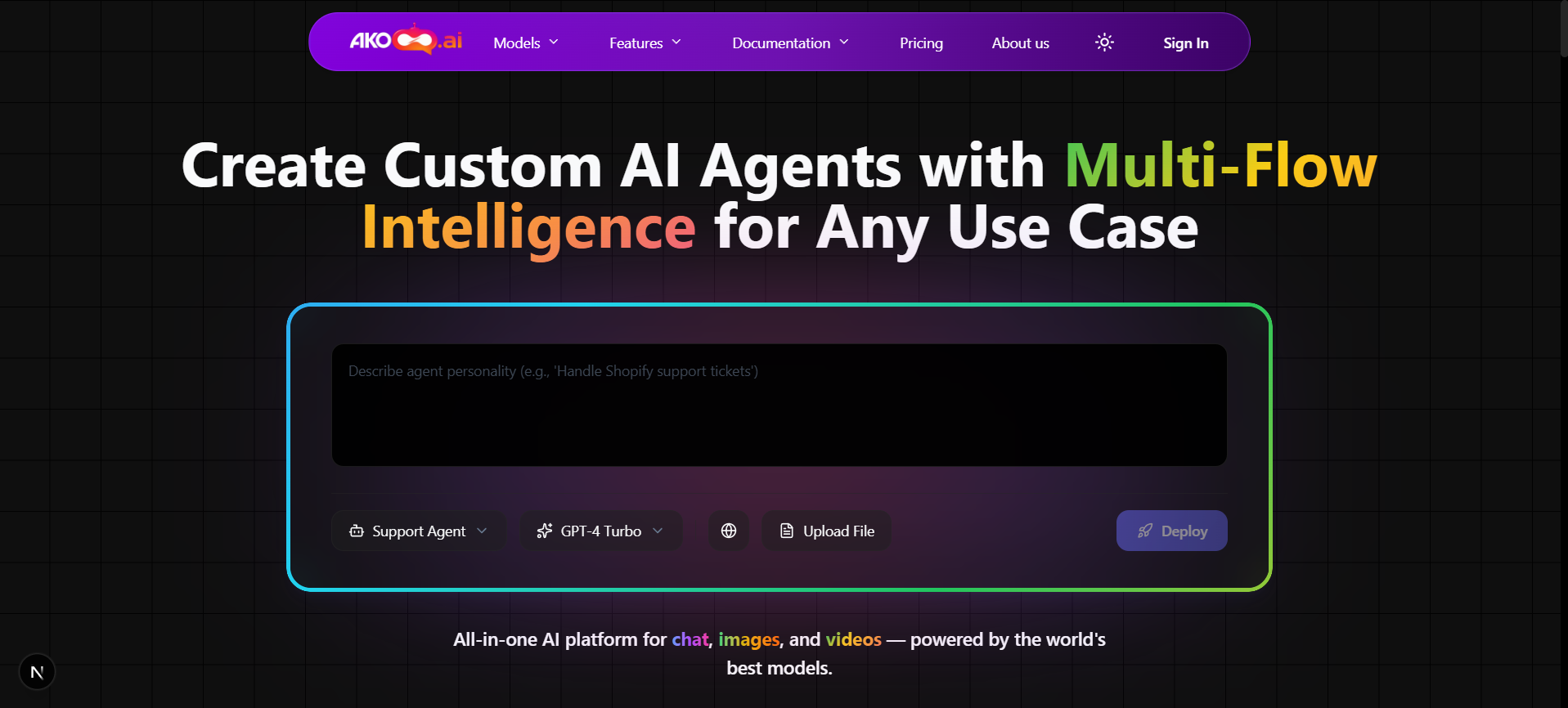
The site root at akobot.ai is the canonical entry for visitors. It summarizes the value proposition—AI images, video, agents, and integrations—and points to deeper sections such as pricing, documentation, and developer-oriented material. Treat it as the place to align stakeholders on what the platform does before you demonstrate how it works in the dashboard.
What to look for on the homepage
- Model and capability highlights (which modalities are available).
- Calls to action that lead to sign-in or pricing.
- Footer links to policies, contact, and other static pages.
Sign in and session
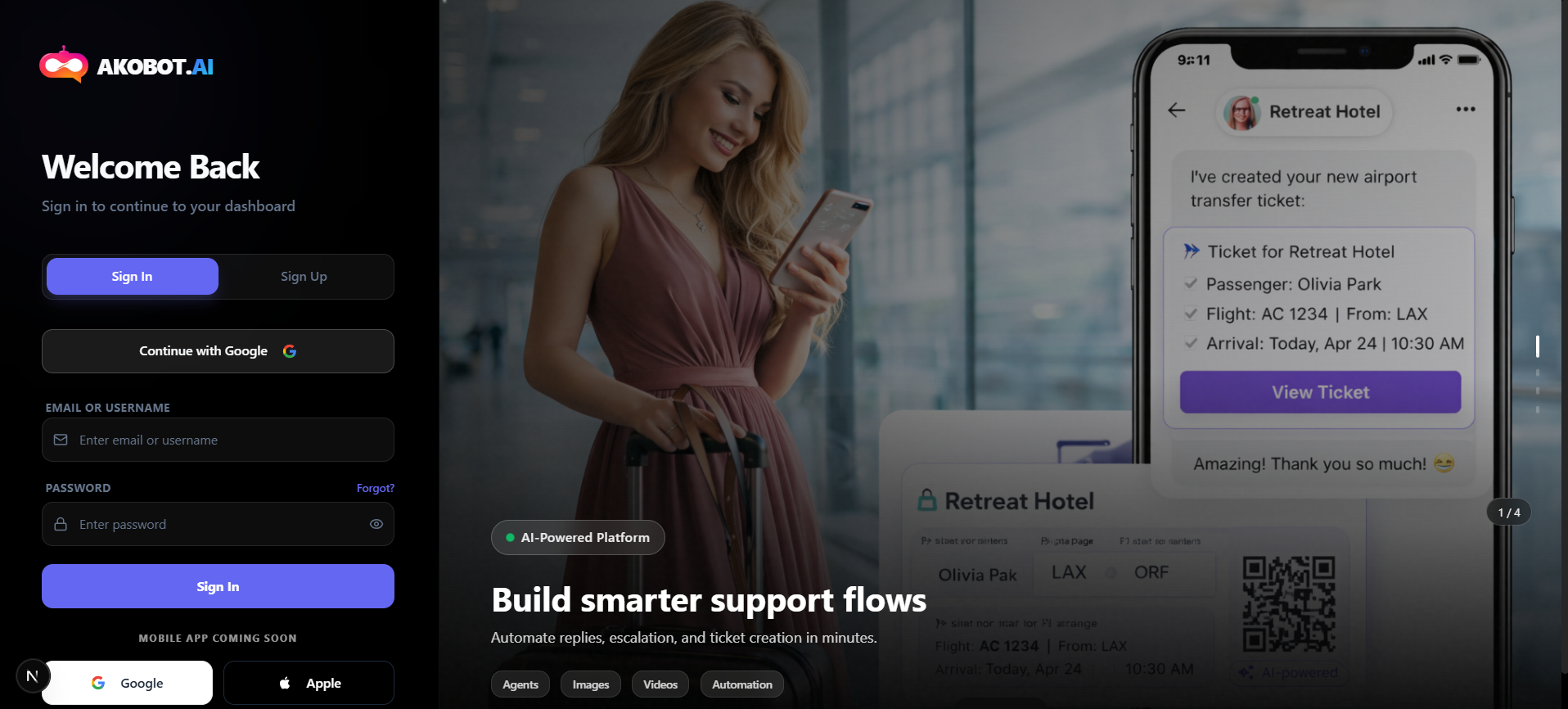
Authentication happens on Sign in. A successful login establishes a session tied to your organization or individual account, depending on how your tenant is configured. That session unlocks the dashboard, credits usage, and any private assets tied to your user.
Practice for teams
After you sign in
You are typically routed to Dashboard. If you bookmarked a deep link (for example an agent chat), the app may restore that route instead—behavior is controlled by the product router and your last visit context.
Dashboard: your home in the workspace
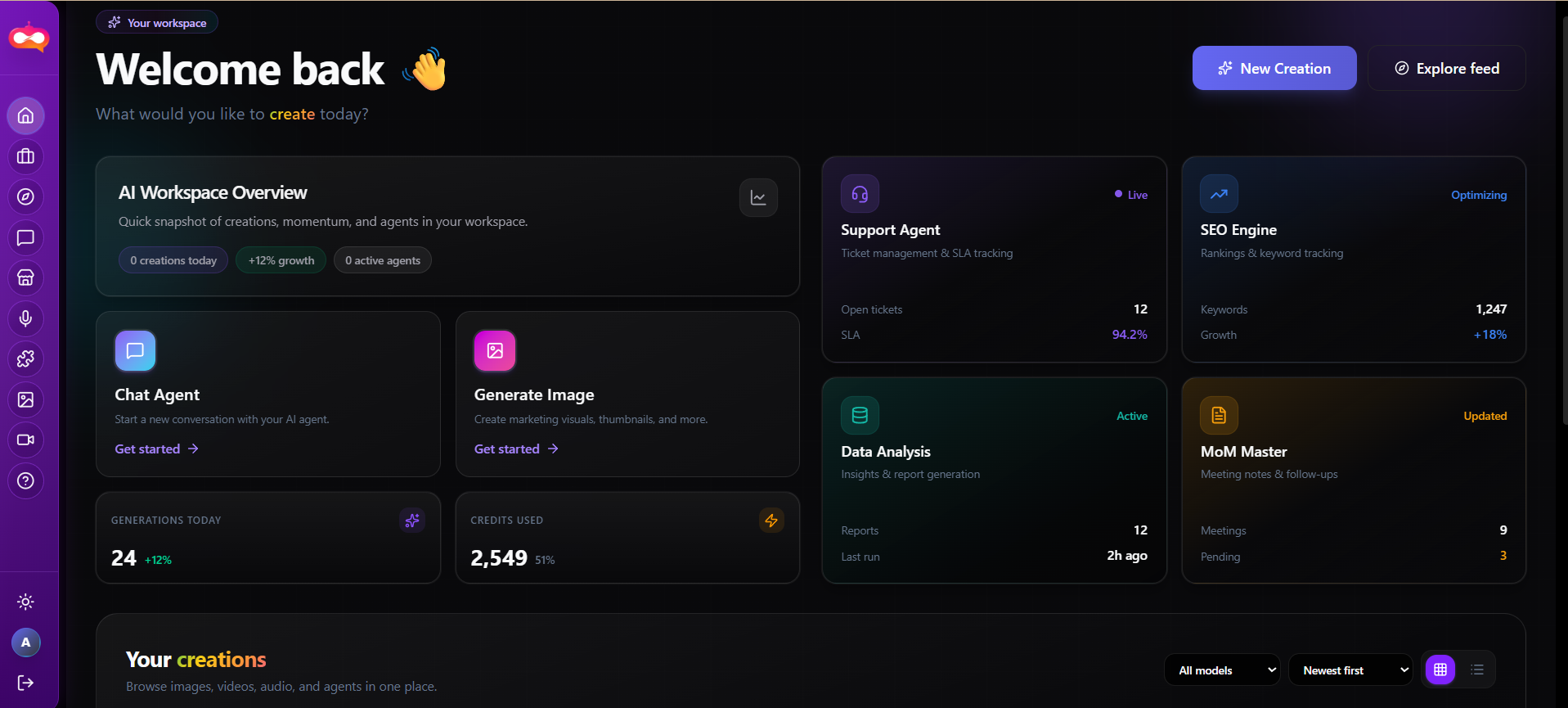
The dashboard is the anchor screen after login. It aggregates quick actions (for example, chat and image entry points), your gallery with filters for content type (images, videos, agents, audio), and visibility controls when you are authenticated with a valid token. It is the screen you return to between tasks—not a single tool, but the control center.
How teams use it
- Creators launch generation tools and review recent outputs.
- Reviewers scan the gallery for assets to approve or publish.
- Admins jump to account, support, or integration areas from the same navigation shell.
Sign out
Use the profile or account menu in the application header to sign out. This terminates the session on the current browser and clears access to paid tools until you authenticate again. Always sign out on shared computers, kiosks, or demo machines.
What signing out does not do
Public access after sign-out
You may still browse the marketing site, read pricing, and open public documentation. Any action that requires credits, private storage, or identity will prompt you to sign in again.
Troubleshooting (common cases)
| Symptom | What to check |
|---|---|
| Redirected to sign-in repeatedly | Cookies or storage blocked; third-party cookie policies; expired session. Try signing in again or another browser profile. |
| Dashboard loads but tools error | Network or API availability; account credits; plan limits. See Support and Account sections in this documentation. |
| Wrong workspace or missing assets | Confirm you are logged into the same email or SSO identity your team uses; private assets are per-user unless shared by product policy. |
Related documentation
Continue with Explore (Feed) and Integrations & MCP to connect your stack, or Account & support for billing and help.