

Account & support
This chapter ties together commercial and operational concerns: comparing and purchasing plans, managing profile and billing settings, getting help inside the product, and retrieving historical generations. Use it as the reference for finance, IT, and end users who need to know where to click—and what each channel is for.
Audience — Account owners, billing contacts, and any user who needs pricing, profile changes, or support escalation.
In this article
- Pricing pages vs in-app account controls
- Payment flows (standard and custom)
- Support channels and when to use each
- Creation history and account security hygiene
Pricing and plans
Public plan comparison lives on Pricing. Use it for stakeholder reviews before purchase: included credits, feature tiers, and any watermarks or limits called out on the page. In-app entitlement may still be the source of truth for what your user can click today—if something disagrees, contact support with your account identifier.
Procurement
Payments
Checkout typically runs on Payment for standard purchases. Some arrangements may use Custom payment when your organization has a bespoke flow. Ensure users with purchasing authority understand which URL your finance team approved.
Account settings
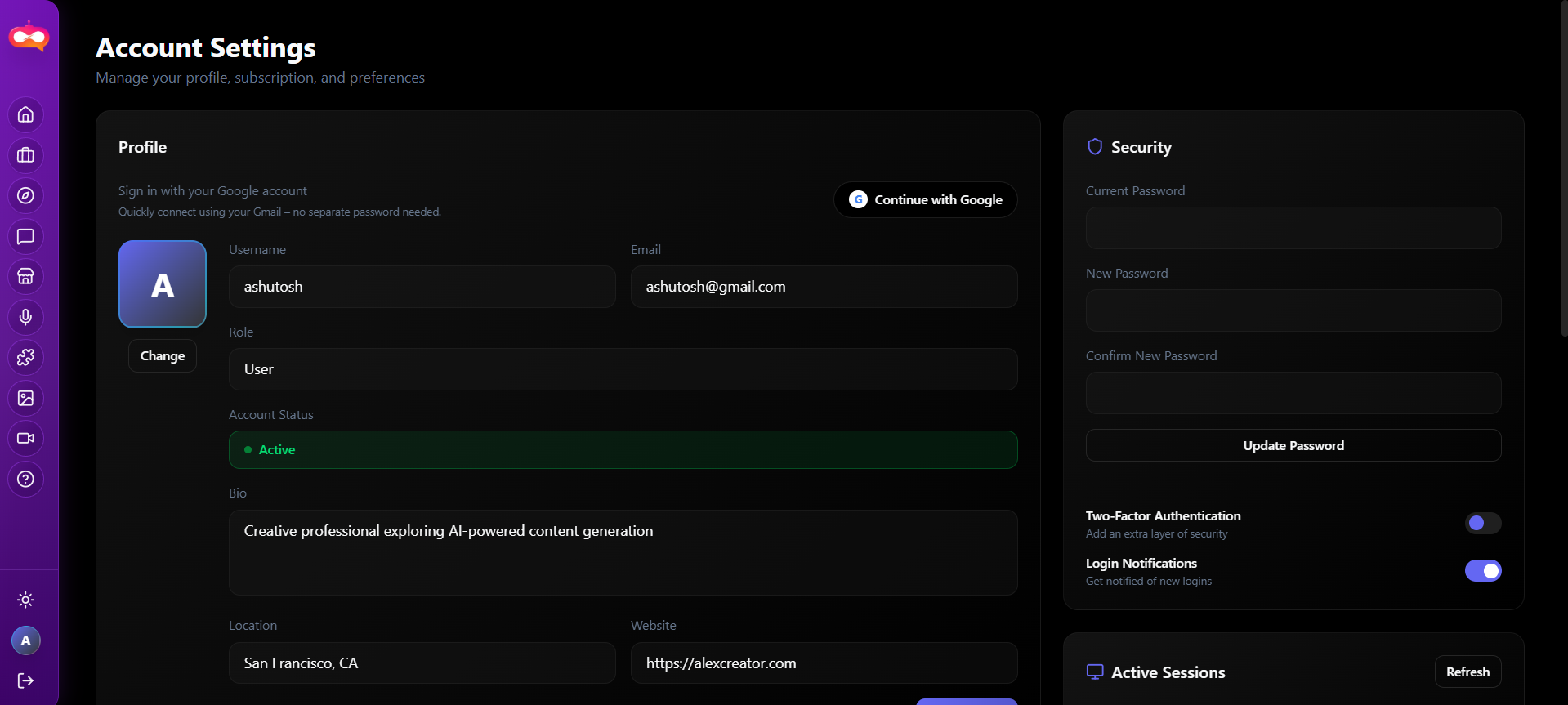
Profile, security, and billing-related controls are consolidated under Account. Document internally who may change payment methods versus who may only update display name or avatar.
Support channels
| Channel | Best for |
|---|---|
| In-app Support (/dashboard/support) | How-to questions, product errors, account issues while logged in. |
| Website footer (policies, contact) | Legal notices, privacy questions, general contact when not in a session. |
| Creation history | Finding a past generation ID or confirming whether a job completed. |
Before you open a ticket
- Capture approximate time (UTC), route, and user email.
- Note browser and whether ad blockers or VPN were active.
- For failed media jobs, include model name and whether credits were debited.
Creation history
Creation history is the operational log of generations suitable for audits and “find my asset again” requests. It does not replace enterprise backup policy—export critical assets to your DAM or storage if required.
Security hygiene
Shared seats