Integrations & MCP
This section covers how AKOBOT connects to business workflows: packaged tool use cases (ticketing, SEO, mail, analytics, reminders) and Model Context Protocol (MCP) style integrations that let agents and tools reach external systems in a controlled way. It is written for operators and technical owners who need a clear responsibility split between product UI and your stack.
Audience — Operations, RevOps, IT, and developers who connect AKOBOT to existing SaaS, APIs, or internal agents.
In this article
- What the tool use case hub is for
- Representative categories of productized flows
- What MCP means in practice for your organization
- Governance: access, secrets, and change management
Browse integrations
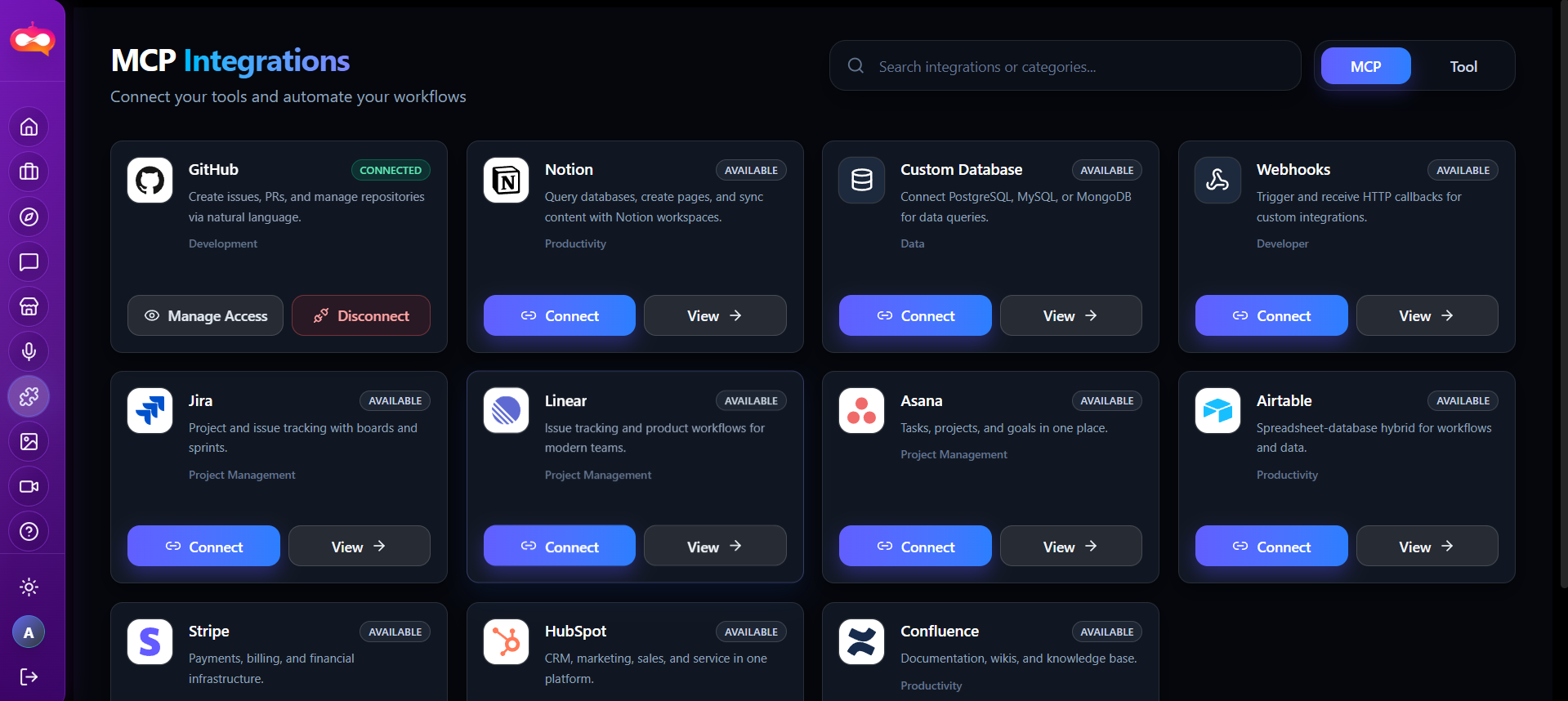
Each connector in the Tool-Kit has a dedicated documentation page with setup steps, capabilities, and operational notes. Open any integration from the Tool-Kit using View Details, or browse the list below.


Tool use case hub
The Tool use case area groups opinionated workflows—often aligned with how go-to-market and support teams work. Rather than raw model parameters, you get flows that map to business verbs: open a ticket, send a campaign, check analytics, schedule a reminder, etc.
Categories you may see
Exact tiles and names can change between releases; treat the list below as representative. Your tenant may show a subset.
| Category | Typical intent |
|---|---|
| Support / ticketing | Create, route, or summarize support work. |
| Marketing / SEO | Research keywords, optimize metadata, monitor visibility. |
| Communication / mail | Campaigns, templates, or bulk outreach (subject to policy). |
| Analytics | Report on usage, performance, or operational KPIs. |
| Productivity / reminders | Tasks, follow-ups, recurring operational nudges. |
Model Context Protocol (MCP)
Purpose
MCP provides a structured way for AI clients to discover and call tools (resources, prompts, connectors) with explicit capabilities. In AKOBOT, MCP-related configuration allows agents or automation surfaces to interact with approved backends instead of ad-hoc scraping or manual copy-paste.
What your team must own
- Identity: which users or service accounts may invoke which tools.
- Secrets: API keys stored per security policy—never in public docs or screenshots.
- Change control: versioning when a connector’s schema or auth method changes.
Documentation handoff
Rollout checklist
- Confirm business owner for each use case (who approves go-live).
- Map data classification (PII, customer content) before enabling integrations.
- Pilot with a small group; capture failure modes and support macros.
- Train your team on the Agent Store so staff know when chat automation applies.