Agents
Agents are conversational experiences backed by models and, when configured, tools or integrations. AKOBOT separates the agent store (discovery and setup) from standalone image/video tools so teams can deploy support, research, or creative copilots without mixing modalities in the wrong surface.
Audience — Builders and power users who deploy or chat with agents; support leads evaluating automation.
In this article
- Agent store vs quick chat entry points
- Recommended lifecycle: choose → configure (if offered) → chat
- How agents relate to MCP and integrations
- When to prefer agents versus raw generation tools
Concepts
An agent in this product is a packaged chat experience with a defined purpose—often a system behavior, default model, and optional tools. It is not the same screen as Text to Image or Text to Video; those are media pipelines with different controls.
| Surface | Use it when |
|---|---|
| Agent store | You need to browse, compare, or open a specific agent product. |
| Chat with an agent | You are in a multi-turn conversation that may call tools. |
| Image / Video tools | You need a single media output with model-specific parameters. |
| Transcription | You need speech-to-text without chat semantics. |
Agent store
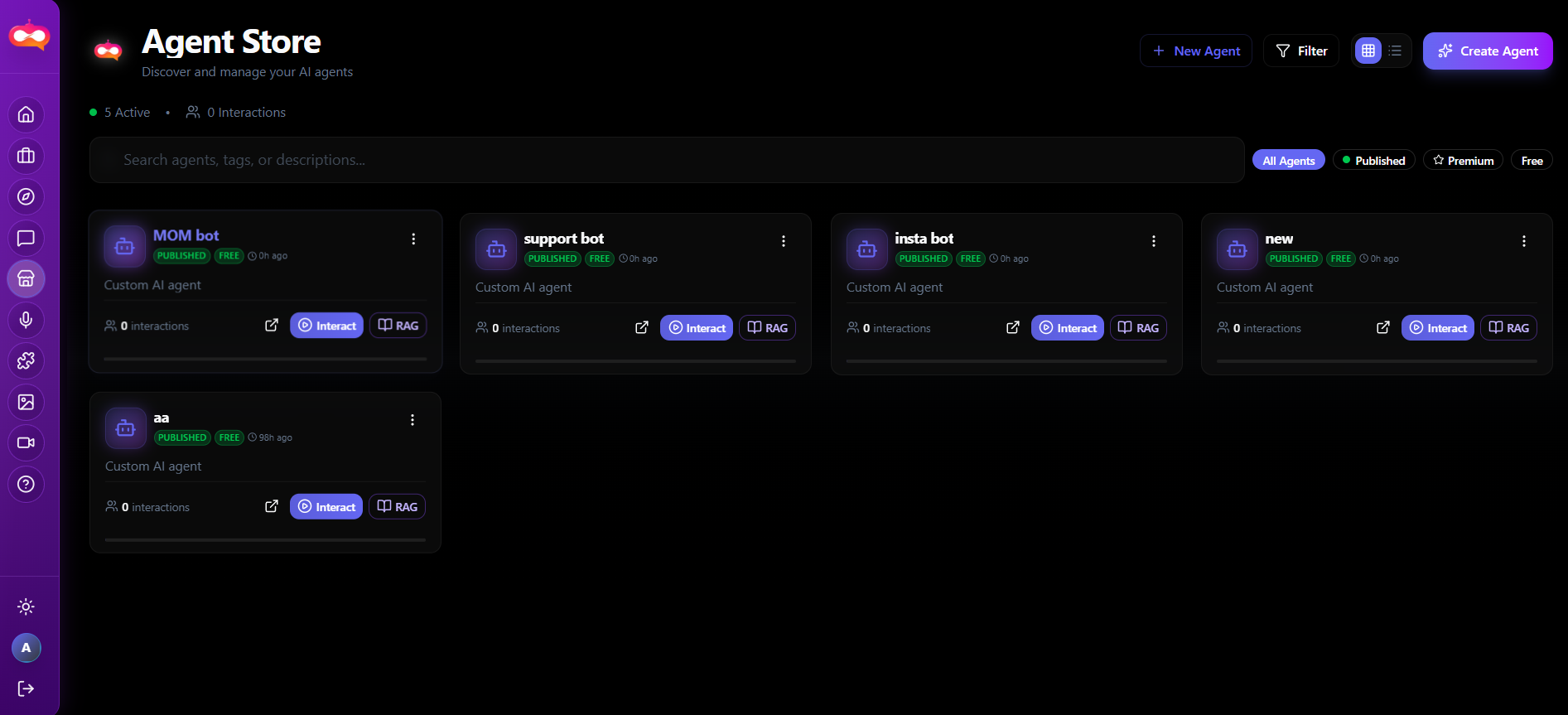
The Agent store lists available agents. Depending on release, you may open chat directly, view metadata (description, model), or access customization when your role allows it. Treat the store as the catalog; bookmark it for internal onboarding.
Quick access chat
For fast access to a general conversational assistant, the dashboard may surface AI chat agent alongside other shortcuts. Use this when you do not need to pick a specialized agent from the store—similar to a default copilot.
Operational workflow
- Define the task (e.g. draft replies, summarize a doc, brainstorm visuals).
- Select an agent whose description matches the task domain.
- Provide context in the first message: goal, constraints, tone, audience.
- Iterate in thread; keep related turns together rather than starting many new chats.
- Verify outputs that affect customers or compliance—agents can hallucinate; human review remains your responsibility.
Tools and data
Agents and integrations
Connecting workflows
For ticketing, mail, analytics, or custom APIs, see Integrations & MCP. Agents often consume those connections; generation tools typically do not.